
Your team's knowledge base, with an agent built in.
Sofos is a desktop workspace for business teams. A familiar doc editor on one side, a real Claude chat on the other, working on the same files, in the same window, on your own machine.
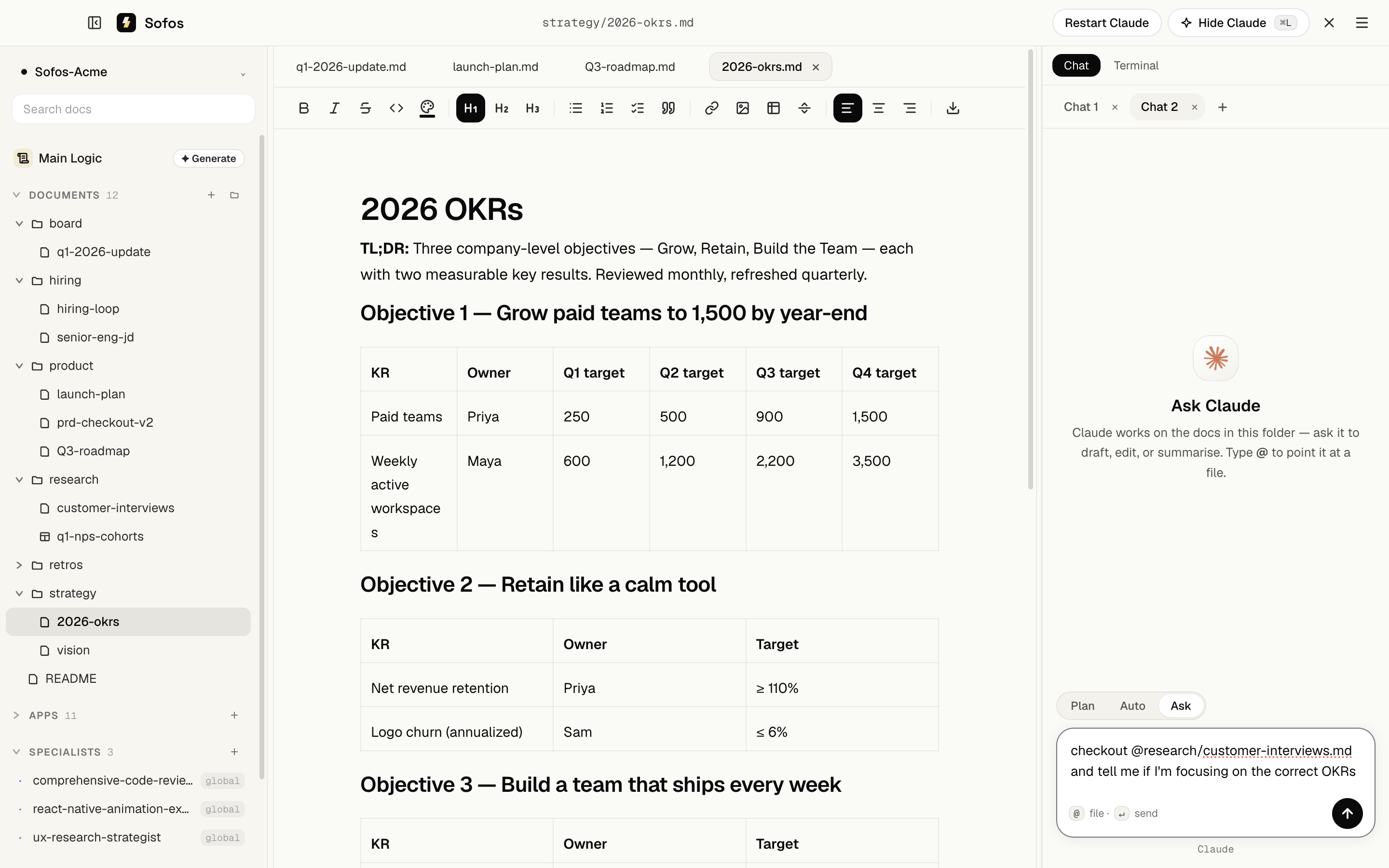
Built for the way business teams actually work.
A familiar editor with an agent inside it. No new shortcuts to learn, no migration, no engineer required.
From folder to agentic workspace in ninety seconds.
No new mental model. The agent reads what you've written, not what you trained it on.
Install & open
Download Sofos, drag into Applications, and point it at a folder on your Mac. An existing folder or a new one, either works.
Write like you always have
The middle pane is a markdown editor that looks and feels like Notion. No new shortcuts, no proprietary blocks, just docs.
Ask Sofos to do work
Press ⌘L to open the chat. Ask in plain English. Sofos reads your docs, edits them, fetches from your connected apps, and shows every change before it lands — in Plan mode, nothing moves until you approve.
Share with your team
Connect a GitHub repo to make the workspace shared. Submit a change for approval, review it file by file, approve and publish, without ever seeing the words 'pull request'.
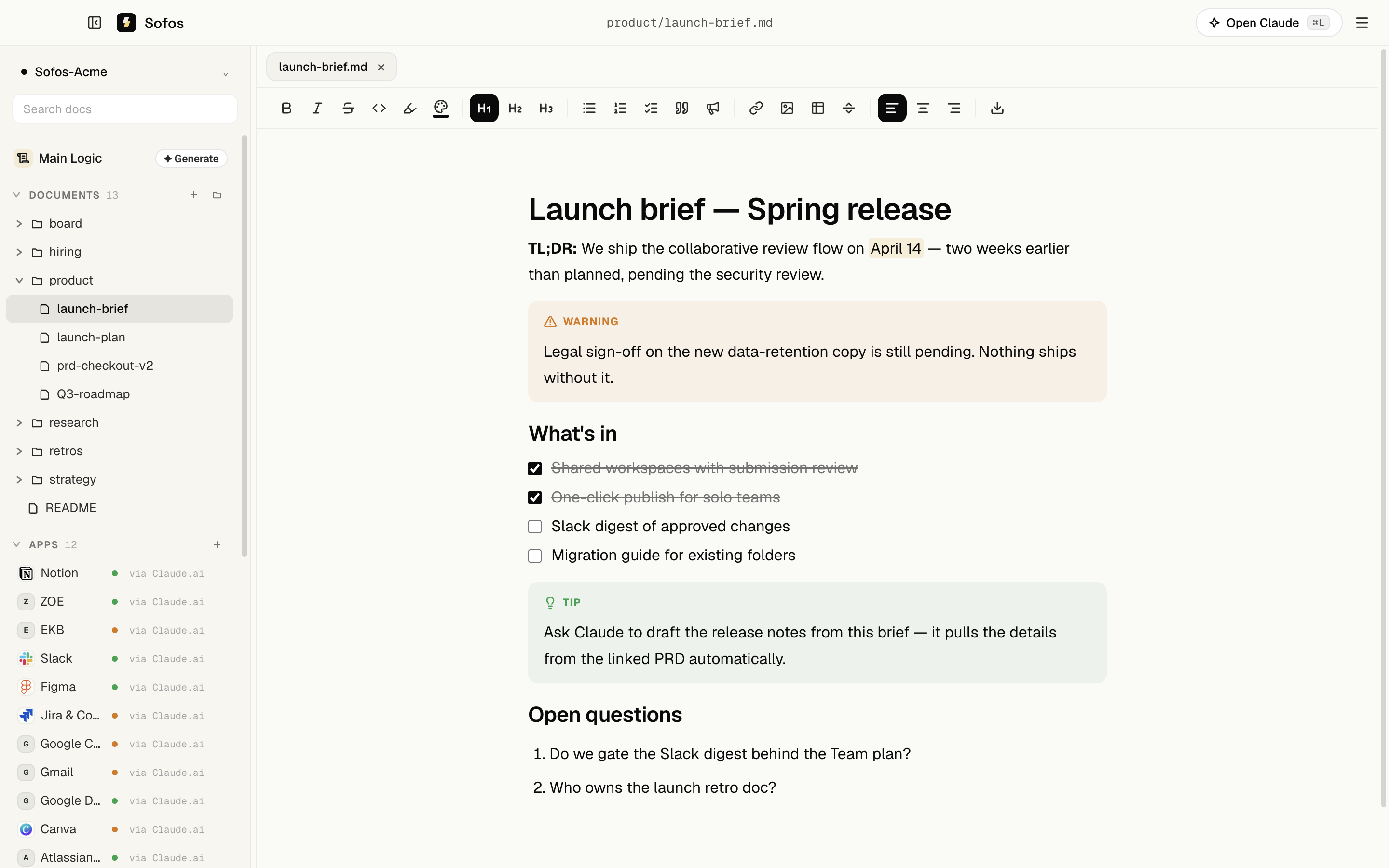
Teach Claude new skills.
A skill is a small file that teaches Claude a repeatable job — written for your role, not for engineers. Download one from the Academy, click upload in Sofos, and it's part of your workspace.
PRD to Jira epics for product managers. Launch kits for marketing. QBR decks for customer success — each one specific, each one yours after two clicks.
---
name: prd-to-jira-epics
description: Turn a product brief into
  structured Jira epics and tickets.
requires: Jira
---

# When to use
The user shares a PRD and asks to plan
the work.

# What to do
1. Read the brief. Pull out scope,
   milestones and owners.
2. Draft epics with acceptance
criteria. Confirm before creating…For everyone who lives in docs.
If your job is shipping clarity, whether that's specs, briefs, plans or summaries, Sofos is built for you.
PRDs, user research summaries, ticket grooming, release notes. Ask the agent to draft, refine, or pull the latest from Linear.
Investor updates, strategy memos, hiring loops, customer research. One workspace, no SaaS sprawl.
Briefs, content calendars, campaign retros. Wire Notion + Slack and let the agent stitch context together.
Playbooks, escalation logs, deal notes. Private folder keeps sensitive customer detail local-only.
Kickoffs, decisions, retros. One shared folder per project, one source of truth.
Personal second brain, Obsidian-style, but with an agent that can act on what you write.
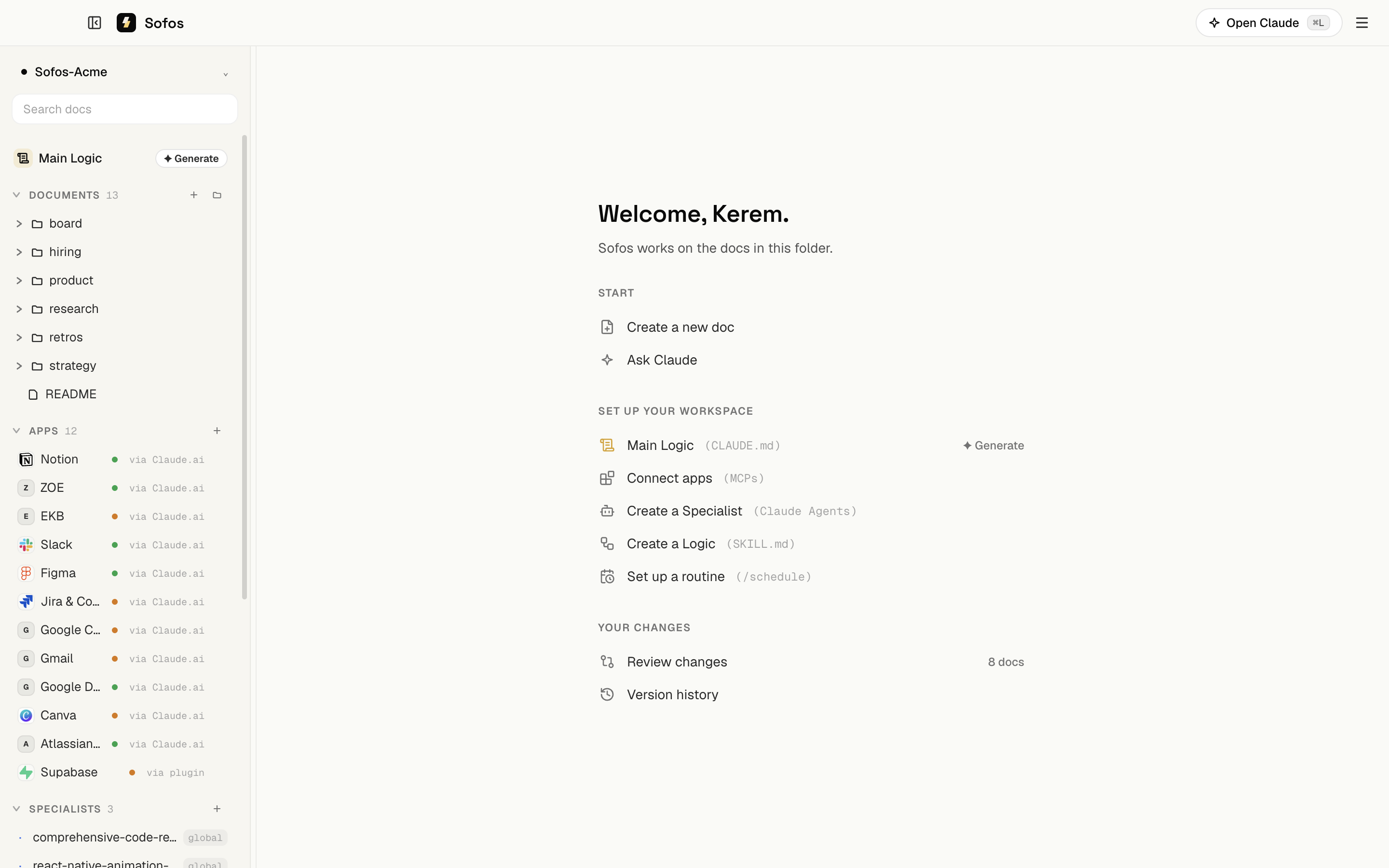
What makes Sofos different.
Your files, your machine
Plain markdown on disk. Take the folder anywhere. No proprietary format, no migration when you outgrow us, no vendor lock-in.
AI you can actually trust
The agent works on your local files. Nothing lives in an opaque vector DB you can't audit. You see every edit before it lands.
Built for business teams
Familiar editor. Plain-English review flows ('Submit changes', not 'open PR'). The technical machinery is hidden because non-technical users shouldn't have to learn it.
Plays well with what you already use
Notion, Linear, Slack, Jira, GitHub and Figma. Sofos talks to them via MCP, so we never ask you to migrate away from anything.
Install Sofos on your Mac.
A single download. Bring your own folder. The agent is one keystroke away.
Signed and notarized for macOS. Updates download in the background and install on restart.
- Drag to reorder: grab the handle beside any line or block in a doc and move it where it belongs.
- Type / in a doc to insert headings, lists, tables, dividers — and collapsible sections that tuck details behind a click.
- Mention files with @ inside a doc: pick a file and it becomes a link; ⌘-click opens it. Plus multiple windows, and a chat you can keep typing into while Claude works.
Support us on Product Hunt.
Sofos launches on Product Hunt this July. Follow along, and when we go live, an upvote and a kind word would mean the world to us.

Built by people obsessed with agents you can trust.
Sofos is the agentic workspace for business teams. We think the next wave of software shouldn't need an engineer to operate, and that the most powerful AI tools should keep your files and your data on your own machine, not in someone else's database.
We're a small team based out of 850 House. The product ships in the open, the file format is plain Markdown, and the door is always open at hello@sofos.co.
Questions, feedback, deals?
We read every email. Tell us what you're building, what's broken, or what you wish Sofos did.